

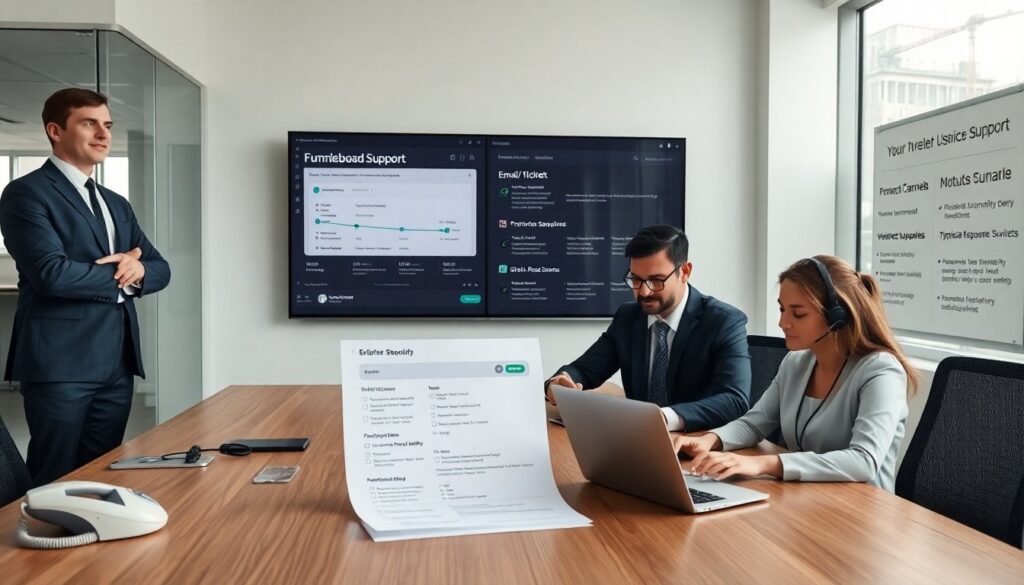
People who need help often search how to get in touch fumbleboard. This guide lists direct options and typical wait times. It helps users choose the fastest channel. It explains what to send for a quick resolution.
Key Takeaways
- The fastest way to get in touch with Fumbleboard for urgent issues is by phone, offering response times under five minutes during business hours.
- Using live chat on the Fumbleboard site provides near-instant support with responses usually within ten minutes for account, billing, and technical questions.
- Including clear details like account ID, error messages, timestamps, and business impact when contacting Fumbleboard speeds up issue resolution.
- Email is best for non-urgent requests and attaching documentation, with response times of one to two business days.
- Fumbleboard’s contact form and social channels help direct inquiries to the right team and provide public status updates.
- For developer support or partnerships, supplying specific logs, error texts, proposals, or company details helps achieve faster and more precise assistance.
Why Contacting Fumbleboard Matters Right Now
Many users need to get in touch with Fumbleboard when they face billing problems, access issues, or integration questions. Fumbleboard handles time-sensitive items like payment disputes and account recovery. They also manage partnership requests and developer API support. Contacting Fumbleboard quickly helps users avoid downtime and loss of data. Users who contact Fumbleboard early usually get faster fixes and clearer next steps. Companies that rely on Fumbleboard for operations should log issues as soon as they appear. This action reduces business risk and shortens resolution time. If a partner needs onboarding, they should get in touch with Fumbleboard to confirm requirements and timelines.
Fastest Ways To Reach Support — Phone, Live Chat, And Typical Response Times
Phone calls remain the fastest way to get in touch with Fumbleboard for urgent matters. The phone support team answers high-priority calls during business hours. Response time by phone is often under five minutes for confirmed priority issues. Live chat offers a near-instant channel on the Fumbleboard site. Agents staff chat during extended hours and handle account, billing, and basic technical questions. Live chat response time usually falls under ten minutes. Email works for non-urgent requests and for sending attachments. Email teams process requests in one to two business days on average. For priority escalation, callers should state the impact on production. For live chat, users should request an escalation and include account ID. For email, users should add “Priority: Production” in the subject line to speed routing. When they need developer help, users should include API logs and timestamps to help engineers. These items help the Fumbleboard team reproduce the issue and reduce back-and-forth. For legal or payment disputes, phone plus a follow-up email creates an audit trail and speeds resolution. Teams that manage many accounts should assign a single contact to get in touch with Fumbleboard to keep communication clear.
Email, Contact Form, And Social Channels
Users can get in touch with Fumbleboard by sending email to the support address listed on the site. The contact form on the Fumbleboard site routes messages to the right team. The form asks for account ID, issue type, and priority. Filling those fields helps the team route the case faster. Social channels work for status updates and public notices. Fumbleboard posts incident updates on its official social pages. Social messages get attention for broad outages, but private details move to email or support tickets. Community forums and help center articles solve common questions without direct contact. Users who search the help center often fix simple issues in minutes. For partnerships and media inquiries, users should use the dedicated partnership email or form to get in touch with Fumbleboard. Partners who reach out this way get directed to the partnerships team for timelines and requirements. Developers who need SDK help should attach sample code and error text. This practice helps the engineering staff reproduce and resolve the problem faster.
What To Include For A Faster Resolution
Users should include the account ID and a clear description when they get in touch with Fumbleboard. They should list steps to reproduce the issue and note exact error messages. They should add timestamps and relevant log snippets for technical problems. For billing issues, they should attach invoices or transaction IDs. For partnership requests, they should state company name, role, and a short proposal. They should state the business impact and desired outcome to help prioritize the request. They should name the platform and version when they report app or integration bugs. They should supply contact hours and a phone number for urgent follow-up. They should avoid long histories and focus on the current failure and recent changes. Short, precise messages help the Fumbleboard team act quickly and reduce overall resolution time. These simple steps help users get in touch with Fumbleboard and get faster results.